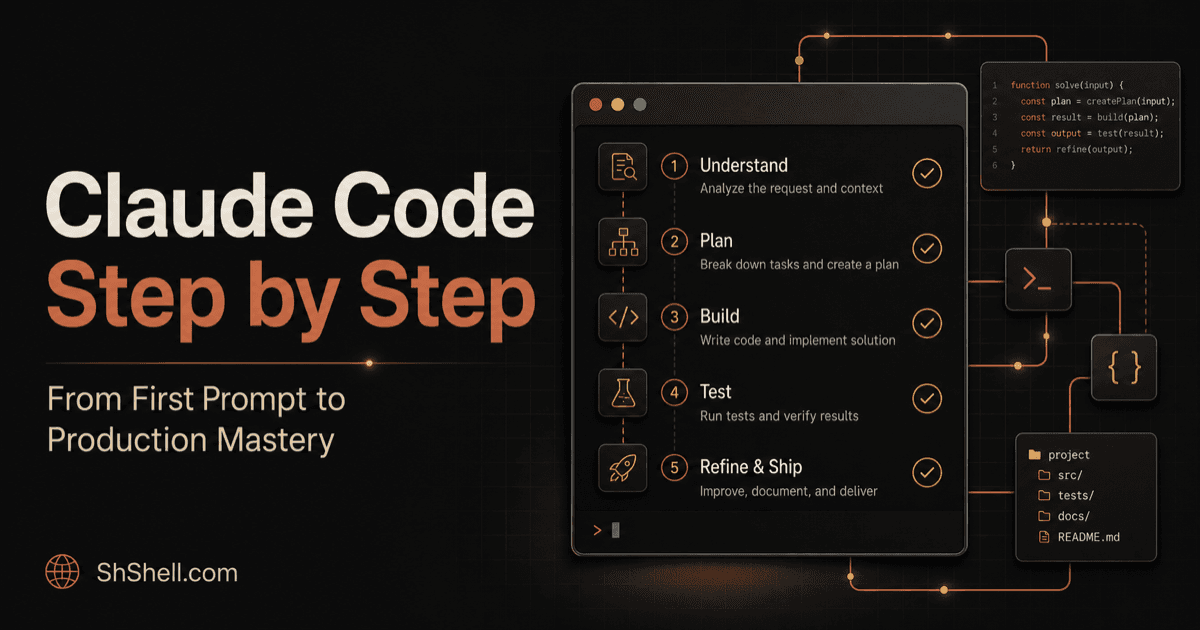
Claude Code Step by Step
Course Curriculum
14 modules designed to master the subject.
Module 1: Install and Orient
Install Claude Code, authenticate safely, choose an interface, and complete a verified first session.
Install Claude Code and Complete Your First Verified Session
Install Claude Code on macOS, Linux, Windows, or WSL, authenticate, inspect a repository, make a safe change, and verify it end to end.
Choose a Claude Code Interface, Authenticate, and Diagnose Setup Problems
Compare Claude Code terminal, IDE, desktop, web, and remote interfaces; configure authentication; and diagnose installation failures safely.
Build a Safe First-Week Claude Code Workflow with Essential Commands
Learn the daily Claude Code commands, shortcuts, session habits, Git safeguards, and verification routine that turn a first session into a reliable workflow.
Module 2: Understand the Agent Loop
Learn how Claude gathers context, acts with tools, verifies results, and manages sessions.
How the Claude Code Agent Loop, Tools, Context, and Sessions Work
Understand Claude Code's gather-act-verify loop, built-in tools, session lifecycle, checkpoints, context limits, and recovery techniques.
Master Claude Code Sessions, Checkpoints, Rewind, Forking, and Context
Understand Claude Code session storage, resume and fork behavior, checkpoints, context compaction, and reliable recovery patterns.
Select Claude Models, Design Verification Loops, and Recover from Failure
Choose Claude Code models and effort intelligently, build strong verification loops, diagnose agent failures, and recover without compounding mistakes.
Module 3: Prompt Like an Engineering Lead
Turn vague requests into bounded, testable tasks with acceptance criteria and verification.
Write Claude Code Prompts with Constraints, Acceptance Criteria, and Proof
Use a practical prompt framework for Claude Code that produces focused plans, minimal changes, strong tests, and evidence-based handoffs.
Use Production Prompt Patterns for Features, Bugs, Refactors, and Reviews
Apply reusable Claude Code prompt patterns to feature delivery, debugging, refactoring, migrations, testing, and security-focused code review.
Turn Requirements into Specs, Acceptance Tests, Plans, and Evidence-Based Handoffs
Convert ambiguous product requests into executable Claude Code specifications, acceptance tests, implementation plans, and reviewable handoffs.
Module 4: Navigate Codebases and Context
Make Claude explore dependencies, trace behavior, and preserve context without flooding the window.
Master Codebase Navigation and Context Engineering in Claude Code
Teach Claude Code to map unfamiliar repositories, trace runtime behavior, manage context efficiently, and avoid confident guesses.
Navigate Large Monorepos with Claude Code Without Reading Everything
Use Claude Code to map monorepos, trace runtime paths, identify package boundaries, avoid generated noise, and plan cross-service changes efficiently.
Engineer Claude Code Context Budgets, Compaction, and Session Hygiene
Control Claude Code context costs with progressive disclosure, filtered evidence, compact handoffs, subagents, session resets, and measurable hygiene.
Module 5: CLAUDE.md, Rules, and Memory
Design durable project instructions, scoped rules, imports, and useful cross-session memory.
Design CLAUDE.md, Scoped Rules, and Memory That Improve Every Session
Create concise CLAUDE.md instructions, path-scoped rules, imports, and durable memory without bloating Claude Code's context.
Design CLAUDE.md Hierarchies, Imports, and Path-Scoped Rules
Structure Claude Code project instructions with concise CLAUDE.md files, imports, monorepo hierarchy, path-scoped rules, and testable conventions.
Govern Claude Code Auto Memory and Team Knowledge Without Staleness
Manage Claude Code auto memory, distinguish personal learnings from team rules, audit stale facts, prevent secret retention, and measure instruction quality.
Module 6: Permissions, Sandboxing, and Security
Apply least privilege, permission modes, sandbox boundaries, and prompt-injection defenses.
Secure Claude Code with Permissions, Sandboxing, and Least Privilege
Configure Claude Code permission modes, allow and deny rules, sandbox boundaries, secret handling, and prompt-injection defenses.
Configure Claude Code Permission Rules, Settings Scopes, and Sandboxing
Build least-privilege Claude Code settings with allow, ask, and deny rules; understand scope precedence; and combine permissions with sandbox enforcement.
Threat-Model Claude Code: Prompt Injection, Secrets, Supply Chain, and Incidents
Secure Claude Code against prompt injection, secret exposure, malicious repositories, dependency attacks, unsafe MCP tools, and external-side-effect incidents.
Module 7: Skills and Slash Commands
Create reusable skills and commands that load the right knowledge at the right time.
Create Claude Code Skills and Slash Commands for Repeatable Work
Build reusable Claude Code skills with SKILL.md, focused references, safe scripts, progressive disclosure, and testable activation.
Design Advanced Claude Code Skills with Progressive Disclosure and Tests
Create maintainable Claude Code skills with strong trigger descriptions, progressive disclosure, allowed tools, scripts, references, assets, and behavioral tests.
Build a Production Release-Readiness Skill for Claude Code
Build and evaluate a practical Claude Code skill that audits release scope, compatibility, migrations, tests, security, observability, and rollback.
Module 8: Hooks and Deterministic Automation
Automate checks and policy enforcement with lifecycle hooks while avoiding brittle loops.
Automate Claude Code Safely with Hooks
Use Claude Code lifecycle hooks for formatting, validation, notifications, audit, and policy enforcement without creating brittle automation.
Master Claude Code Hook Events, Matchers, Inputs, Outputs, and Exit Codes
Understand Claude Code hook lifecycle events, canonical tool matchers, JSON input and output, exit behavior, timeouts, and reliable debugging.
Build Production Claude Code Hooks for Formatting, Policy, Audit, and Verification
Implement practical Claude Code hook recipes for formatting edits, blocking dangerous commands, enforcing completion checks, and producing safe audit trails.
Module 9: MCP and Context7
Connect external tools through MCP and use Context7 for current, version-specific documentation.
Connect Claude Code to MCP Servers and Use Context7 Correctly
Configure Model Context Protocol servers in Claude Code, manage scope and approvals, and use Context7 for current library documentation.
Master MCP Transports, Scopes, Authentication, Resources, Prompts, and Tool Search
Configure Claude Code MCP servers across HTTP, stdio, and WebSocket transports with correct scopes, OAuth, resources, prompts, elicitation, and tool search.
Build a Version-Correct Context7, GitHub, and Database MCP Workflow
Use Context7 with Claude Code for version-specific library documentation and safely compose it with GitHub and database MCP tools in a verified workflow.
Module 10: Plugins and Superpowers
Install, evaluate, and combine plugins, including the Superpowers engineering workflow.
Install Claude Code Plugins and Use Superpowers for Disciplined Development
Understand Claude Code plugin anatomy, marketplace security, installation, conflicts, and the Superpowers planning, TDD, debugging, and review workflow.
Discover, Install, Update, Audit, and Remove Claude Code Plugins Safely
Manage Claude Code plugins and marketplaces with provenance review, version pinning, capability audits, namespace conflict checks, update testing, and clean removal.
Run the Complete Superpowers Workflow: Design, TDD, Debugging, Review, and Finish
Apply the Superpowers Claude Code methodology from brainstorming and worktrees through TDD, systematic debugging, subagent review, and branch completion.
Module 11: Ponytail, Caveman, and Token Discipline
Reduce code and response bloat without sacrificing safety, correctness, or maintainability.
Use Ponytail and Caveman Without Sacrificing Claude Code Quality
Apply Ponytail's YAGNI minimalism and Caveman's concise output style, measure real impact, and avoid unsafe over-compression.
Use Ponytail to Enforce YAGNI, Reuse, Deletion, and Minimal Diffs
Apply Ponytail's simplicity discipline in Claude Code to search before building, delete before abstracting, avoid speculative architecture, and verify minimal diffs.
Use Caveman and Measurement to Cut Claude Code Token Waste
Evaluate Caveman's concise communication style, measure Claude Code context costs, benchmark plugin stacks, and reduce tokens without sacrificing correctness.
Module 12: Subagents, Teams, and Worktrees
Delegate isolated research, parallelize independent work, and prevent multi-agent conflicts.
Scale Claude Code with Subagents, Agent Teams, and Git Worktrees
Delegate research to Claude Code subagents, coordinate agent teams, isolate parallel changes with worktrees, and merge evidence safely.
Create Claude Code Subagents with Focused Context, Tools, Models, and Permissions
Design custom Claude Code subagents with clear delegation contracts, isolated context, minimal tools, model selection, foreground/background execution, and evidence-rich returns.
Orchestrate Claude Code Agent Teams and Git Worktrees Without Merge Chaos
Plan Claude Code agent-team work with contracts, ownership boundaries, Git worktrees, dependency ordering, shared interfaces, integration reviews, and failure recovery.
Module 13: IDE, Web, Headless, and CI/CD
Move across Claude Code surfaces and automate reliable non-interactive workflows.
Run Claude Code in IDEs, Web, Headless Scripts, and CI/CD
Choose the right Claude Code interface and build safe, structured headless and GitHub Actions workflows with bounded permissions.
Choose Claude Code Terminal, IDE, Desktop, Web, and Remote Control Workflows
Select the right Claude Code surface for local coding, visual diff review, parallel desktop sessions, cloud tasks, mobile control, and secure handoffs.
Automate Claude Code Safely with Headless CLI, Structured Output, CI/CD, and the Agent SDK
Run Claude Code programmatically with print mode, structured output, bounded tools, GitHub Actions, GitLab CI, and Agent SDK patterns that remain testable and secure.
Module 14: Build Plugins and Ship the Capstone
Package custom capabilities and complete an end-to-end production feature with an evidence-based handoff.
Build a Claude Code Plugin and Complete the Production Capstone
Package Claude Code skills, agents, hooks, and MCP configuration into a plugin, then ship a production feature with evidence and rollback.
Build, Test, Version, and Publish a Claude Code Plugin Marketplace
Create a production Claude Code plugin with manifest, skills, agents, hooks, MCP servers, namespacing, behavioral tests, immutable releases, and marketplace distribution.
Claude Code Mastery Capstone: Ship a Secure Production Feature and Plugin
Complete a rigorous Claude Code capstone spanning discovery, specification, TDD, MCP, skills, hooks, subagents, security, CI, plugin packaging, deployment evidence, and operations.
Course Overview
Format
Self-paced reading
Duration
Approx 10-12 hours
Found this course useful? Support the creator to help keep it free for everyone.
Support the Creator