The Pilot in the Machine: Understanding Anthropic Claude's 'Computer Use' Evolution
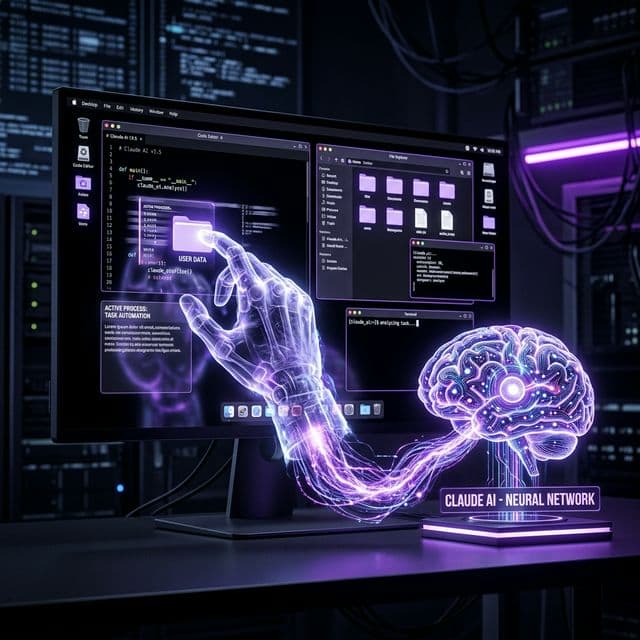
Anthropic has officially launched 'Computer Use' for Claude, allowing the agent to autonomously navigate desktops, click buttons, and execute complex cross-app workflows.
The Pilot in the Machine: Understanding Anthropic Claude's 'Computer Use' Evolution
Since the release of the first LLMs, AI agents have been trapped in a "Chat Box" prison. They could generate code or write essays, but they couldn't do the work. On March 24, 2026, Anthropic shattered those walls with the wide-scale release of Claude: Computer Use.
This feature isn't just an API integration; it is a Vision-to-Action bridge that allows Claude to "see" your screen and "touch" your interface exactly like a human professional would.
Beyond the API: The General Desktop Agent
Most automation tools rely on APIs (Application Programming Interfaces). If an app doesn't have an API, it can't be automated. Claude breaks this limitation by using Visual Navigation.
"We realized that the vast majority of human productivity happens in legacy software, local files, and messy web dashboards that will never have a clean API," said an Anthropic Lead Researcher. "By teaching Claude to move the mouse and scroll through windows, we've given it the 'Universal Interface'—the screen."
How Computer Use Works
- Iterative Screen Perception: Claude takes high-frequency screenshots of the active workspace.
- Semantic Mapping: The model identifies interactive elements (buttons, text fields, menu bars) based on their visual appearance.
- Coordinate Execution: Claude calculates the exact X-Y pixels for a click or drag operation and sends the command to a secure local "Executor" layer.
- Verification: After every action, Claude checks the new screenshot to see if the state changed as expected (e.g., "Did the file upload successfully?").
The "Dispatch" Synergy: Desktop Automation via Mobile
A major catalyst for this release is Dispatch, Anthropic's new mobile assigning tool. Users can now be away from their desk and send a message like: "Claude, go into my Excel sheet 'Q1-Sales', find the outliers, and send a summary email to the team."
Claude handles the rest, waking up the desktop, navigating the file system, and clicking through the Outlook interface to complete the task.
graph TD
    A[User via Mobile Dispatch] -->|Task Request| B{Claude Core}
    B -->|Visual Logic| C[Desktop Screenshot Analyze]
    C -->|Coordinate Calculation| D[Mouse/Keyboard Executor]
    D -->|Interaction| E[Local Application: Excel/Slack/IDE]
    E -->|UI Feed| C
    B -->|Task Complete| A

    style B fill:#8b5cf6,stroke:#333,color:#fff
    style D fill:#333,stroke:#8b5cf6,color:#fff
Security: The "Sovereign Sandbox"
Handing over mouse control to an AI is a high-risk operation. To mitigate this, Anthropic has introduced the Sovereign Sandbox.
- Approval Gates: For sensitive actions (deleting files, processing payments), Claude must present a "Permission UI" to the user.
- Shadow Logging: Every pixel moved and key pressed is recorded in an immutable audit log, allowing IT departments to "replay" an agentic session for security review.
- Local Processing: The Vision-to-Action transformer runs on a subset of the local OS to reduce latency and prevent sensitive screen data from ever leaving the user's encrypted environment.
Impact on Knowledge Work: Use Case Examples
| Industry | Use Case | Time Saved (Est.) |
|---|---|---|
| Sales | Scraping LinkedIn and manually entering data into an old CRM. | 15 hours / week |
| Software Eng. | Running local tests, identifying a bug, and fixing the file in VS Code. | 8 hours / week |
| Accounting | Reconciling PDF invoices with a proprietary desktop accounting tool. | 22 hours / week |
Frequently Asked Questions (FAQ)
Does it work on Mac and Windows?
Yes. Claude's Computer Use is cross-platform. Because it relies on visual recognition rather than OS-specific hooks, it behaves consistently across macOS 16, Windows 12, and major Linux distributions.
Can Claude "steal" my passwords?
No. Claude is programmed with a "Credential Guard" that automatically masks password fields and prevents the model from interacting with identity-management popups without a multi-factor physical biometric check from the user.
Is it faster than a human?
Currently, code-level execution is slower than a human because Claude "pauses to think" between clicks to ensure accuracy. However, unlike a human, Claude can work 24/7 without fatigue.
Conclusion: Turning the OS into a Workforce
The evolution of Claude from a chatbot to a "Computer Pilot" is the most significant leap in personal computing since the mouse. We are moving from a world where we "use" computers to a world where we "direct" them. In 2026, the desktop is no longer just a screen; it is the arena where your digital coworker manifests.
Technical evaluation by Sudeep Devkota. Verified with Anthropic's Q1 2026 Developer Documentation.