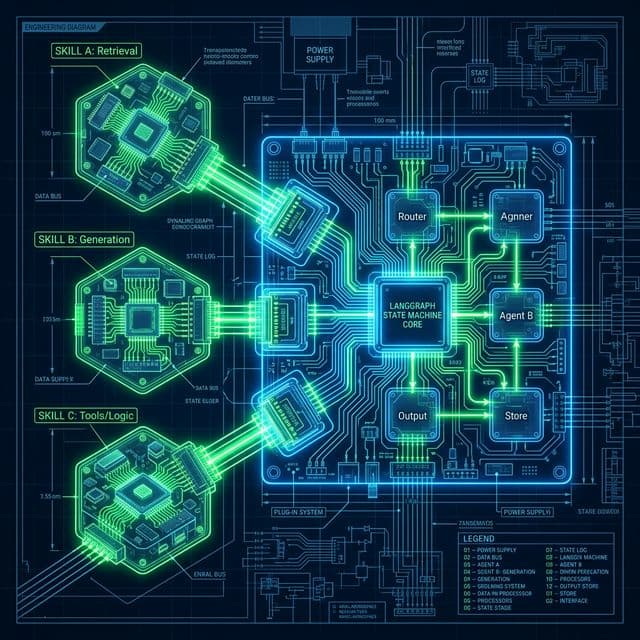
Modular Mastery: Implementing Atomic AgentSkills in LangGraph Workflows
A step-by-step guide to building stateful, multi-tool agents using LangGraph and the 'AgentSkill' pattern for industrial-grade AI reasoning.
Modular Mastery: Implementing Atomic AgentSkills in LangGraph Workflows
As we move into 2026, the era of the "General Chatbot" is being replaced by the era of the Agentic Workswarm. The challenge isn't just getting an LLM to talk; it's getting an LLM to use the right tool at the right time while maintaining a complex state.
In this tutorial, we will explore the AgentSkill pattern within LangGraph. We will build a functional agent that can search for real-time information and perform calculations, all while maintaining a persistent memory of the user's goals.
What are AgentSkills?
In the context of LangGraph, an "AgentSkill" is an atomic, decorated Python function that has been "bound" to an LLM. Unlike simple functions, AgentSkills are State-Aware. They don't just return a value; they can update the graph's shared memory, allowing subsequent nodes to leverage their output.
Prerequisites
Ensure you have the following installed in your March 2026 environment:
pip install -U langgraph langchain-openai langchain-community
Step 1: Define the Shared State
LangGraph revolves around a "State" object. Every node in our graph will read from and write to this state.
from typing import Annotated, TypedDict, List, Union
from langchain_core.messages import BaseMessage
from langgraph.graph.message import add_messages

class AgentState(TypedDict):
    # 'add_messages' ensures new messages are appended to history
    messages: Annotated[List[BaseMessage], add_messages]
    # We can add custom state variables here
    current_goal: str
    verification_status: bool
Step 2: Create Atomic Skills (Tools)
We define our skills using the @tool decorator. This provides the LLM with the metadata it needs to understand when to call the skill.
from langchain_core.tools import tool

@tool
def calculate_growth(initial_value: float, rate: float, years: int) -> float:
    """Calculates compound growth over a set period. Use this for financial projections."""
    return initial_value * ((1 + rate) ** years)

@tool
def web_search(query: str) -> str:
    """Performs a real-time web search for the latest news or data point."""
    # In a real app, you'd use Tavily or SearchApi here
    return f"Search result for '{query}': AI agents are expected to grow 42% in 2026."

# List of available skills
tools = [calculate_growth, web_search]
Step 3: Initialize the Reasoning Kernel
We bind our tools to a frontier model (like GPT-5.4 or Claude 4.6).
from langchain_openai import ChatOpenAI
from langgraph.prebuilt import ToolNode

model = ChatOpenAI(model="gpt-4o", streaming=True).bind_tools(tools)
tool_node = ToolNode(tools)
Step 4: Build the Graph Logic
Now we define our nodes and how the state flows between them. We want a loop where the agent can "Think," "Act" (call a skill), and "Review."
from langgraph.graph import StateGraph, END

# Define the logic 'Reasoning' node
def call_model(state: AgentState):
    response = model.invoke(state["messages"])
    return {"messages": [response]}

# Define the conditional edge logic: Should we use a tool or finish?
def should_continue(state: AgentState):
    messages = state["messages"]
    last_message = messages[-1]
    if last_message.tool_calls:
        return "tools"
    return END

# Construct the Workflow
workflow = StateGraph(AgentState)

# Add Nodes
workflow.add_node("agent", call_model)
workflow.add_node("tools", tool_node)

# Set Entry Point
workflow.set_entry_point("agent")

# Add Edges
workflow.add_conditional_edges("agent", should_continue)
workflow.add_edge("tools", "agent") # Loop back to agent after tool use

# Compile the Graph
app = workflow.compile()
Step 5: Execute the Agent
Finally, we run our orchestrated agent.
inputs = {
    "messages": [("user", "Calculate the value of a $1000 investment growing at the expected AI growth rate for 5 years. Search for the rate first.")],
    "current_goal": "Financial Projection",
    "verification_status": False
}

for output in app.stream(inputs):
    # stream() returns the output of each node execution
    for key, value in output.items():
        print(f"Node '{key}' execution complete.")
        if "messages" in value:
            print(f"Last Message: {value['messages'][-1].content}")
Visualizing the Logic Flow
graph TD
    Start((Start)) --> Agent[Node: Agent/Model]
    Agent -->|Thinking...| Check{Tool Call?}
    Check -->|Yes| Tools[Node: Tool Executor]
    Tools -->|Result| Agent
    Check -->|No| Done[End: Final Answer]

    style Tools fill:#76b900,stroke:#333,color:#fff
    style Agent fill:#4285F4,stroke:#333,color:#fff
Why this pattern scales
By isolating tools into "Skills" and managing them via a graph, you gain three major advantages:
- Observability: You can see exactly which node failed or spent the most tokens.
- State Management: The agent never "forgets" why it's calling a tool because the state is persisted outside the LLM's immediate context window.
- Human-in-the-loop: You can easily add a "Review" node that pauses the graph until a human approves the tool execution.
Frequently Asked Questions
Can I use local models for AgentSkills?
Yes. As long as your local model (like Llama 3 or Nemotron) supports Tool Calling (Function Calling), it can serve as the reasoning node in LangGraph.
How do I handle tool errors?
You can wrap your tool_node logic in a try-except block that writes the error back into the state, allowing the LLM to "self-correct" in the next turn.
What is the maximum number of skills I can add?
While there is no hard limit, adding more than 20-30 skills to a single model can lead to "Attention Dilution." In such cases, it is better to use a Router-Worker pattern where a top-level agent routes the task to a specialized sub-agent.
Conclusion
Mastering AgentSkills in LangGraph isn't just about writing code; it's about shifting from Scripting to Orchestration. By building modular, state-aware components, you are future-proofing your AI applications for the complex autonomous workflows of the late 2020s.
Tutorial prepared by Sudeep Devkota. Verified with LangGraph v2.1.0 (March 2026).