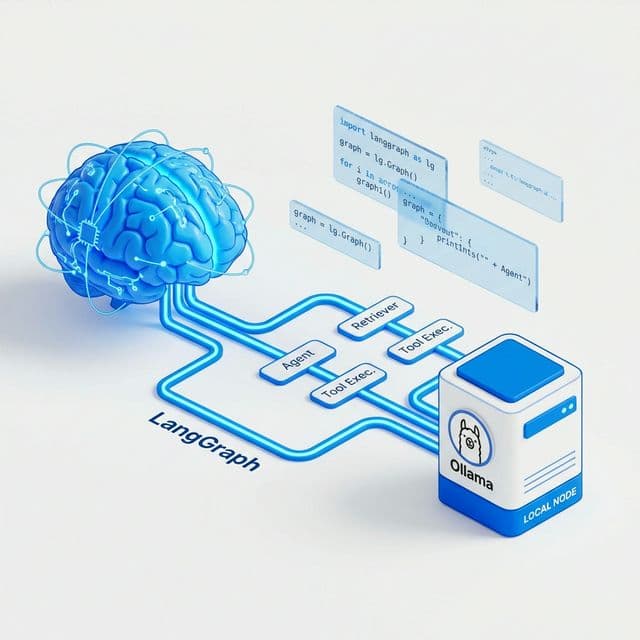
Build a Local AI Agent in Under 5 Minutes with LangGraph, Python, and Ollama
Learn how to spin up a minimal but real local AI agent using LangGraph and Ollama. No API keys required, just pure local power.
If you already have Python, pip, and Ollama installed, you can spin up a minimal but real AI agent in just a few minutes using LangGraph and a local Ollama model like llama3. This guide walks you through a single-file implementation that actually runs.
We’ll build a simple “tool-using” agent that:
- Calls a local LLM via Ollama
- Can call a Python tool (
get_time) when it decides it needs it - Loops until it produces a final answer
1. Prerequisites
Make sure you have:
- Python 3.10+ (3.11 recommended)
- Ollama installed and running locally (macOS, Windows, or Linux)
- A model pulled, for example:
ollama pull llama3
You don’t need an API key because Ollama runs locally and exposes an HTTP endpoint by default.
2. Install Python Dependencies
Create and activate a virtual environment if you like, then install:
pip install "langgraph>=0.2.0" "langchain>=0.3.0" "langchain-ollama>=0.1.0"
3. Minimal Agent: Single Python File
Create a file agent_ollama_langgraph.py and paste the full script below. This script shows the smallest non-toy pattern: a stateful graph, a local Ollama model, and a tool-calling loop.
Full Working Code
import os
from typing import TypedDict, List, Literal, Optional

from langgraph.graph import StateGraph, END
from langchain_core.messages import HumanMessage, AIMessage, SystemMessage
from langchain_ollama import ChatOllama


# 1. Define the agent state LangGraph will pass between nodes
class AgentState(TypedDict):
    messages: List  # list of LangChain messages
    status: Literal["running", "done"]


# 2. Define a very small "tool" the agent can call
def get_time_tool(_: str) -> str:
    """Return the current time in a human-friendly way."""
    from datetime import datetime

    return f"The current time is {datetime.now().strftime('%Y-%m-%d %H:%M:%S')}."


TOOLS = {
    "get_time": get_time_tool,
}


# 3. Create the LLM (Ollama) wrapper
def create_llm(model_name: str = "llama3"):
    """
    Connect to local Ollama server.
    Make sure 'ollama serve' is running and you've pulled the model.
    """
    # By default, Ollama listens on http://127.0.0.1:11434
    llm = ChatOllama(model=model_name)
    return llm


llm = create_llm()


# 4. Helper: ask the LLM to either answer OR call a tool
SYSTEM_PROMPT = """You are a helpful AI agent.

You can:
- Answer the user directly, or
- Call a tool by responding in JSON.

Tool call format (NO extra text):
{"tool": "get_time", "input": "<short input text>"}

If you don't need a tool, just answer normally in plain text.
"""


def parse_tool_call(text: str) -> Optional[dict]:
    """
    Very small and naive parser:
    If the model returned something that looks like a JSON tool call,
    try to parse it, otherwise return None.
    """
    import json

    text = text.strip()
    if text.startswith("{") and text.endswith("}"):
        try:
            data = json.loads(text)
            if "tool" in data and "input" in data:
                return data
        except Exception:
            return None
    return None


# 5. Node 1: call the model and decide whether to call a tool or finish
def oracle_node(state: AgentState) -> AgentState:
    # Compose messages: system + history from state
    messages = [SystemMessage(content=SYSTEM_PROMPT)] + state["messages"]

    response = llm.invoke(messages)
    content = response.content if isinstance(response, AIMessage) else str(response)

    tool_call = parse_tool_call(content)

    if tool_call:
        # The model wants to call a tool; append this as an AI "tool request" message
        state["messages"].append(AIMessage(content=content))
        state["status"] = "running"
        print(f"[oracle] Tool requested: {tool_call}")
        return state
    else:
        # The model is answering the user; append AI message and mark as done
        state["messages"].append(AIMessage(content=content))
        state["status"] = "done"
        print(f"[oracle] Final answer: {content}")
        return state


# 6. Node 2: run the requested tool (if any) and append result to messages
def tool_node(state: AgentState) -> AgentState:
    # Look at the last AI message to see if it requested a tool
    last_ai = None
    for msg in reversed(state["messages"]):
        if isinstance(msg, AIMessage):
            last_ai = msg
            break

    if not last_ai:
        state["status"] = "done"
        return state

    tool_call = parse_tool_call(last_ai.content)
    if not tool_call:
        state["status"] = "done"
        return state

    tool_name = tool_call["tool"]
    tool_input = tool_call["input"]

    tool_fn = TOOLS.get(tool_name)
    if not tool_fn:
        tool_output = f"Tool '{tool_name}' not found."
    else:
        tool_output = tool_fn(tool_input)

    print(f"[tool_node] Running {tool_name} with input '{tool_input}' -> {tool_output}")

    # Append the tool result as a HumanMessage so the model "sees" the tool response
    state["messages"].append(
        HumanMessage(content=f"[tool:{tool_name}] {tool_output}")
    )
    state["status"] = "running"
    return state


# 7. Build the LangGraph
def build_graph():
    graph = StateGraph(AgentState)

    graph.add_node("oracle", oracle_node)
    graph.add_node("tool", tool_node)

    graph.set_entry_point("oracle")

    def route_from_oracle(state: AgentState):
        if state["status"] == "done":
            return END
        return "tool"

    graph.add_conditional_edges(
        "oracle",
        route_from_oracle,
    )

    graph.add_edge("tool", "oracle")

    return graph.compile()


app = build_graph()


# 8. Simple CLI loop to test the agent
def main():
    print("Local AI Agent (Ollama + LangGraph). Ctrl+C to exit.")
    while True:
        try:
            user_input = input("\nYou: ")
        except KeyboardInterrupt:
            print("\nExiting.")
            break

        if not user_input.strip():
            continue

        state: AgentState = {
            "messages": [HumanMessage(content=user_input)],
            "status": "running",
        }

        for event in app.stream(state):
            pass


if __name__ == "__main__":
    main()
4. How to Run It
- Start Ollama (if not already running):
ollama serve - Make sure your model is pulled (example: llama3):
ollama pull llama3 - Run the script:
python agent_ollama_langgraph.py
Try some prompts:
- “What time is it right now? Use your tools if needed.”
- “Explain what this AI agent is doing step by step.”
- “Give me a short productivity tip.”
If the model decides it needs the time, it will emit a JSON tool call; the graph will run get_time_tool, feed the result back, and then the model will produce a final natural-language answer.
5. Next Steps
Now that you have the basic loop working, you can:
- Add more tools to the
TOOLSdictionary. - Swap llama3 for any other Ollama model (like
mistralorphi3). - Add memory by persisting messages between turns using any of LangGraph's checkpointers.
If you tell me your exact OS and preferred Ollama model, I can tailor this to your setup or extend it for things like web search, file reading, or RAG.
Author: Crowdbullish Originally published on Crowdbullish.com